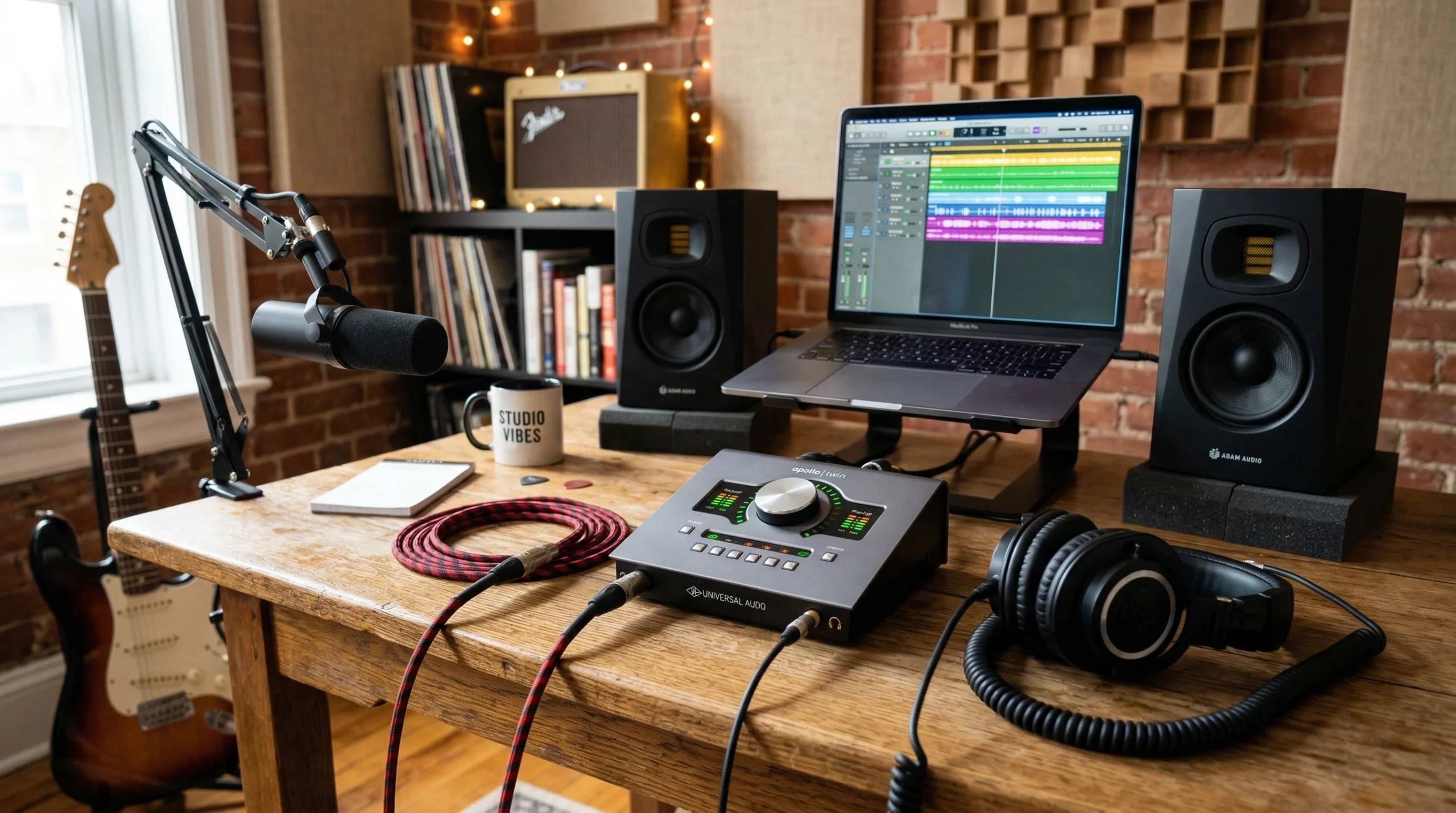
Choosing the best audio interface can totally change the way you make music, whether you’re laying down bedroom demos or capturing a full band. The features you select will shape your creative process and open up fresh inspiration, so getting a handle on what to look for is key. Here’s my straightforward guide to the essential features musicians should look for in an audio interface, plus why each matters when you’re chasing down your sound.
Why Your Use Case Should Decide Your Audio Interface Features
One of the first things to think about when picking an audio interface is how you plan to use it. Are you tracking solo acoustic tunes? Bringing in vocalists, synths, and a drummer? Maybe you also want something for live streaming. No single box covers every situation, so your goals (and gig type) will shape what you need.
If you plan to record several instruments together, such as a band with mics on vocals, guitar amps, and drum kit, you’ll require more inputs. Home producers might only need two inputs, but groups may want four, eight, or even more. The same principle applies for outputs: basic setups might just need stereo left and right and a headphone jack, but sending mixes to different speakers and/or headphones means extra outputs come in handy.
Before buying an interface, I always suggest making a quick list of everything you want to record at once and what you want connected for playback. Checking this against interface specs saves you time and frustration down the line. Consider possible future needs, too—expanding your setup is easier when you plan for a little extra flexibility.
Key Inputs: Line, Instrument, and Mic Connections
Not all inputs are the same. Here’s how they break down:
- Mic Inputs: Designed for microphones, these use XLR jacks and have built-in preamps (more about those later).
- Line Inputs: Ideal for keyboards, external preamps, or synths with their own output volume controls.
- Instrument Inputs (Hi-Z): If you’re a guitarist or bassist, this is your best friend. Hi-Z inputs let you plug an electric guitar or bass straight into the interface—no need for a DI box. Without a Hi-Z input, your guitar or bass might sound thin or noisy.
I always make sure there’s at least one Hi-Z input on my interfaces, as I’m using them with my guitars and basses, when I don’t want to record them with my amps or preamps.
Most devices offer jacks that can be switched between line and instrument levels, which keeps options open for different instruments.
MIDI Connectivity: Not Just for Keyboardists
MIDI ports may seem old-school, but they are super useful. If you use keyboards or drum pads, MIDI lets you trigger software synths or drum VSTs, while you can also trigger hardware gear from your DAW. It’s useful for much more than just electronic music.
Many budget audio interfaces skip MIDI ports altogether, but having them built in means fewer adapters and more accurate timing. If you think you’ll ever try (vintage) hardware synths, drum machines, or external effects, look for MIDI In and Out jacks from the start.
Mic Preamps: Where Tone Starts
Preamps give microphones the lift they need for proper recording levels. Every interface has them, but not all preamps sound alike. Some brands, such as Universal Audio and SSL, let you add a recognizable flavor to your signal. This kind of added saturation, warmth and fatness is what many consider being more musical and sounding more like a record than clean mic preamps.
This kind of character is something you’ll notice more as you get more experienced with different kinds of preamps and interfaces. Like I just mentioned, some interfaces let you choose between clean or colored sound; for example, Universal Audio Volt models and SSL interfaces SSL interfaces come with a classic analog flair button for old-school vibes while Universal Audio Apollo and Antelope Audio interfaces let you route signals through digital emulations of well-loved vintage preamps (more on that later).
If you want only clean, transparent sound, that’s totally cool. You can add color later with plugins. But there’s something magical about recording through a vintage character preamp and hearing that vibe while you record.
Direct Monitoring: No More Latency Hassles
A quick way to lose the groove during a session is laggy monitoring, where there’s a delay between playing and hearing yourself. Direct monitoring solves that by feeding your input signal straight from the interface to your headphones, before it hits your computer. This means zero latency, so you can record in real time even when working with CPU hungry plugins or slow laptops.
Some interfaces have a simple knob to blend between the direct and computer signals, while others use more complex software mixers for customized headphone mixes. If you’re overdubbing, singing live, or want to avoid distracting “echo,” always make sure direct monitoring is an option when you shop.
Built-in Processing: DSP Makes a Real Difference
As mentioned above some audio interfaces come with their own internal processing power, known as DSP (Digital Signal Processing). This lets you add effects like compression, reverb, or amp modeling while you track—using the interface’s chip, not your computer. Universal Audio’s Apollo series is known for this, but Antelope and MOTU are good options, too.
DSP powered interfaces let you play and record with real-time effects. This gives singers and musicians the sound they want in their headphones, boosting confidence and improving performances. It also allows you to record with effects which can help keeping your workflow fast and smooth, as you don’t have to make these decisions afterwards.
If you crave a more tactile, hardware-inspired workflow or need reliable real-time effects, DSP in your interface can be a true game changer. For those using intensive plug-ins or mixing on laptops, DSP really helps keep things moving smoothly.
Extra Features That Step Up Your Workflow
- Phantom Power (48V): Essential for using condenser microphones. Check for this before buying to avoid hardware regrets.
- Status Meters: LED meters or small screens make it easy to spot if you’re clipping or recording too quietly. Visual feedback is a real time saver.
- Pad and Gain Controls: Pads help prevent distortion from loud inputs. Having independent gain knobs lets you tweak levels quickly for each source.
- Monitor Controls: Some interfaces offer big, smooth monitor knobs, making volume adjustments easy—a small detail but a real bonus during long sessions.
Real-World Examples: Matching Features to Your Needs
- Solo Artists or Demo Recording: Two inputs (mic plus guitar), a headphone output, and stereo out are usually enough. For home use, I always appreciate good preamps and direct monitoring.
- Bands or Duos: Four or more inputs, multiple headphone outputs for ease, and MIDI for those with keyboards. More outputs make it flexible for external gear and monitor mixes.
- Electronic Producers: Several MIDI ports and outputs, plus built-in DSP, help route signals to synths, sequencers, and apply real-time processing with ease.
Taking the time to learn these features up front saves hours of troubleshooting later and keeps you making music instead of chasing down technical snags. If you ever grow your studio, features like multiple outputs or onboard DSP will make mixing and performing much smoother.
Frequently Asked Questions
How do I figure out how many inputs and outputs I need?
Start by tracking down every piece of gear you want to record or connect simultaneously. One vocal mic plus guitar? Two inputs. Full band setups might need six, eight or even more. For outputs, count up your speakers, headphone mixes, and any extra hardware sends.
Why care about MIDI ports if I don’t play keyboard?
MIDI is great for connecting drum pads, controlling external sequencers or drum machines, or even some hardware effects units. If you think you might get into synths, beatmaking, or hardware control, having built-in MIDI will smooth the way.
Are expensive interfaces truly necessary for home studios?
Higher-end interfaces often bring better preamps, sturdier builds, a more pristine sound through better converters, and sometimes built-in DSP. For beginners, a reliable low-latency interface with clean preamps is generally enough. If you crave more coloration or professional features, spending more can be worth it when you’re ready.
Go Make Some Noise
The best audio interface is the one that fits your setup and inspires you to create. Specs are useful, but finding features that actually help you—like direct monitoring for singers or Hi-Z for guitarists and bassists—is more important. A good interface will help you unlock new creative avenues, so pick one that matches your musical workflow and taste, plug in, and chase the sounds rattling around in your head.