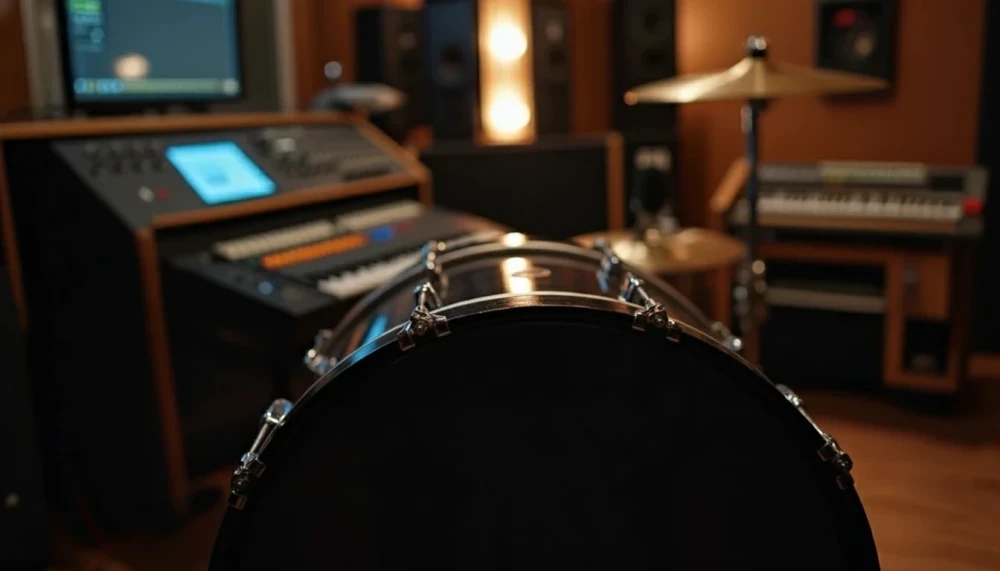
 Getting your kick drum to sound punchy and cut through a mix is something every producer and engineer wants. Whether you’re working on hip hop, pop, rock, or electronic music, the punch in a kick is what makes people feel the groove and moves the energy of a song. Here’s a practical approach that delivers reliable results, no matter your gear or DAW.
To make a kick drum sound punchy and help it cut through the mix, you can focus on five key areas: sound selection, transient shaping, EQ, compression, and mix balance. Here’s a clear, practical guide based on my workflow and real world experience. Let’s get into the details and explore some extra insights that can help you along the way.
Step 1: Pick the Right Kick Drum Source
Choosing the right kick sample, or recording the drum well, is THE most important part of making it punchy. If your starting sound is already punchy, you’ll barely need to fix anything later on. The foundation ALWAYS matters most.
Choosing a Punchy Sample
- Look for a sample with a clear attack (the “click” or “thump” right at the start) and a strong, focused low end. A defined high frequency attack helps the kick cut through dense arrangements.
- Avoid kicks that are too floppy, washy, or lack definition; these won’t easily bite through a mix.
- Trusted sample packs or drum machines like the Roland TR-808 or 909, as well as acoustic samples with tight mics usually work well.
- Preview your kicks in context by playing them with the rest of your drums or full arrangement. Sometimes a sample sounds huge alone but gets lost in a mix, so always check in context.
If Recording a Live Kick Drum
- Mic placement is important. Try putting a dynamic mic just inside the hole of the resonant head.
- Tune the drum so the beater gives a solid impact, not a flabby thud. Often, a slightly higher pitch keeps things punchy.
- Use a pillow or blanket inside the kick to tighten up any ringing, which keeps the attack clear and makes mixing easier.
- If you have access to multiple mics, record both inside and outside the drum. The inside mic will provide definition, while the outside captures more low end body. Blend to taste.
Starting strong here sets you up for an easy punchy mix down the line. Take your time at this stage and you’ll smooth the way for everything that follows.
Step 2: Bring Out the Attack With Transient Shapers
Punch mainly happens during the first few milliseconds when the beater or sample “hits.” If it sounds dull, poking the attack with a transient shaper or envelope tool usually helps. These tools spotlight the attack, helping your kick jump out of the speakers.
How to Use These Tools
- Open a transient shaper or envelope generator plugin and raise the “Attack” or “Transient” knob slightly. Listen for clarity and definition getting a boost.
- Be careful not to overdo it. A harsh click or “plastic” sound means you’ve gone too far, so use your ears and dial back if needed.
- Some compressors have a snap or punch mode that can get similar results, but dedicated transient designers like the SPL Transient Designer, Native Instruments Transient Master, Softube Transient Shaper or your DAW’s built-in tools are easier to dial in with precision.
If you want more control, use an envelope editor to give the attack portion a little more volume, then fade the tail quickly. You can also layer transient-click samples for added punch. That extra snap helps your kick stand out, even in a busy track.
Step 3: Use EQ for Punch and Clarity
Proper EQing is super important for shaping your kick drum’s punch. Boosting and cutting in the right places lets you control its energy and keeps things tight. Getting your EQ moves right is key to both power and clarity.
EQ Moves I Rely On:
- 60–80 Hz: Boost slightly to add thump and chest-hitting weight to your kick.
- 100–150 Hz: Add a bit of body if your kick feels too thin and you want it to fill more space.
- 2–5 kHz: Use a narrow boost to bring out the attack and help the click cut through. This is especially helpful if you’re competing with guitars, synths, or vocals.
What to Cut:
- 200–300 Hz: Cut here to reduce mud which makes the kick sound blurry or undefined.
- 400–700 Hz: Notch out boxiness or papery ringing that can clash with both bass and snare, making the drum bus sound crowded.
Keep your EQ boosts tight, which keeps the energy focused. If you notice any nasty overtones, sweep an EQ cut with a medium Q to find and remove them. This is especially helpful if you’re layering kicks or adding drum samples on top of acoustic recordings. Tip: Listening on both your monitors and headphones can help you spot resonance or mud you might miss on one system.
Step 4: Compress, But Let the Punch Through
Compression helps your kick stay solid and forward in the mix, but the wrong settings can squash the very punch you’re chasing. The trick is to control dynamics without crushing the attack.
Settings That Usually Work
- Attack: 20–30 ms – lets the transient (the punch) get through untouched before compression clamps down.
- Release: Fast (30–80 ms), so the volume dips quickly and recovers before the next hit.
- Ratio: 4:1 to 6:1. This medium to strong ratio keeps the kick from bouncing all over the place. A slightly higher ratio is okay if you’re after a more controlled sound.
- Gain reduction: 3–6 dB is plenty. More than that, and your kick can sound flat or dull.
One trick I like is parallel compression, also sometimes refferred to as New York compression. Send your kick to a new channel, squash it hard (maybe 10–15 dB of gain reduction) until it sounds super aggressive, then blend that back with your original kick. This lets you add weight and snap from the aggressive channel while keeping the vibe of the original sound intact.
Note: Some compressor plugins have a mix dial. In that case you don’t have to create a new track. Just compress hard and blend the dry signal back in.
Step 5: Make Space For The Kick In Your Mix
Sometimes, a kick only seems weak because other sounds crowd its frequencies. Giving your kick its own space is crucial, especially in the low end. Think about carving out room for it, both with EQ and arrangement.
Practical Ways To Clear Space
- Sidechain the bass so it drops in volume a little when the kick hits. This gives the kick a moment to shine on each beat without fighting the bass for space.
- Notch out a small bit of EQ in your bass track at the kick’s primary frequency. Try just -2 to -4 dB around, say, 65 Hz if that’s where your kick’s thump lives. This subtle dip can make all the difference.
- Avoid stacking too many synths or samples with heavy low end. If your mix feels muddy, simplify your arrangement for clarity.
Take arrangement seriously. A sparse pattern under your kick drum always provides more room for the kick to breathe. In the low end, less is almost always more. Clear space here and everything else in your mix will improve.
Step 6: Layer for Custom Punch (Optional)
Sometimes, layering multiple kick sounds gives you the impact and character you want when a single sample falls short. This works well for modern genres like trap, house, or EDM, where unique kick sounds are a big part of the track’s signature.
How to Layer Kicks Effectively
- Pick one sample for sub/low end (for warmth and weight).
- Pick another for mid body (for fullness).
- Pick a third with a clicky attack (for punch and presence).
Be sure to check phase alignment. If your layered kicks sound thin or weird, flip the phase on one and listen for a tighter sound. You can nudge your samples in your DAW timeline until the attack combines in a satisfying way. Don’t be afraid to edit the envelope of each layer for a snug fit.
If you want to take things up a notch, try blending kicks from different genres, or add in Foley or pitched noise layers to personalize your sound.
Step 7: Light Compression And / Or Limiting on Your Drum Bus
A gentle bus compressor or limiter on your whole drum bus keeps everything consistent and can add a tiny bit of smack. Go easy here. Set the threshold so you’re getting only 1–3 dB of gain reduction at most. I usually save this for the final touches, right before the drums go into the master bus. This helps prevent unwanted peaks from sneaking through and helps glue your drum sound together.
Common Questions & Troubleshooting For Punchy Kicks
Why does my kick still sound weak?
This happens for a bunch of reasons. Maybe the kick and bass aren’t working together, there’s too much reverb or low end clutter, you used the wrong sample, or you’re over-compressing. Compare against a reference track you love. Ask yourself: Are you missing bottom end, top end, or are you lacking punch?
My kick and bass clash. What should I do?
- Try sidechain compression on the bass so it ducks under the kick hit. This neat trick is standard in dance and pop genres.
- Match your kick and bass notes if you want them to mesh, or use EQ to separate their main frequencies if you want them to sit apart in the mix. Finding the right blend is key for a tight low end.
Is distortion or saturation good for punch?
A bit of soft saturation or tape emulation can actually give a boost to attack and harmonics, but use it sparingly if you want to keep things clean. If you want grit, try a gentle saturation plugin focusing on the mids and highs, but avoid crushing the low end. Small amounts can add character and thickness.
Should I use reverb on kick drums?
Most of the time, a dry kick is punchiest, but if you add a small amount of very short reverb (like an ambience or small room setting), you can add depth without washing out the attack. Always highpass the reverb return so low end stays tight. Experiment to see what fits your track best.
Practical Action Plan for Super Punchy Kicks
- Pick your kick sound carefully. Start with punch from the outset.
- Shape the transient for more snap and presence.
- EQ with purpose; shine a light on the punch and clear away mud.
- Compress with an attack time that lets the punch breathe through.
- Make space in your mix for the kick to sit front and center by balancing arrangement and EQ.
- Layer, check phase, and compress or limit the drum bus if you need extra control.
Nothing feels better than hitting play on your track and hearing that kick knock with real intention. Try out these tips one at a time and trust your ears. Small changes add up to a huge difference. Got a favorite kick trick I missed? Drop it in the comments and I’ll check it out! Time to roll those drums and set your kick free in the mix.
4 replies to "How To Make A Kick Drum Sound Punchy"
Great breakdown—finally someone explained the difference between “punch” and just “loud” without making me watch a 40-minute YouTube video! The transient shaper tip plus the 3–5 ms release on the compressor clicked instantly; I pulled up an old mix, applied exactly that, and my kick went from sitting in the back seat to driving the whole track. Thank you!
Quick question that’s been haunting my last few sessions: when you’re working in a genre like future bass or tech-house where the kick needs to punch hard but the sub is carrying most of the low-end energy, how do you decide how much 50–70 Hz fundamental to actually leave in the kick itself versus sidechaining everything and letting a clean sine layer do all the heavy lifting? Do you have a go-to frequency split point or a reference track technique you use to keep that visceral chest punch without fighting the sub?
Would love your workflow on that!
Sincerely,
Steve
Thanks for the kind words Steve — love hearing the transient + compressor combo made an instant difference!
On the kick vs. sub question: try letting the sub own ~30–60 Hz and push the kick’s fundamental a bit higher, roughly 55–80 Hz depending on the note of the track. That keeps the kick’s thump in the chest zone while the sub provides the sustained weight.
Don’t hard-split the frequencies — instead shape the kick with an EQ so it dips slightly at the sub’s root and add a bit of emphasis around 65–85 Hz where the punch lives. The sidechain is just there to give the kick transient room, not to fix frequency clashes, so keep it short and transparent.
Hope that helps. If you have any further questions, I’ll be happy to help.
This is an incredibly clear and practical guide! The step-by-step breakdown of EQ, compression, and layering techniques makes a complex topic feel totally achievable. I especially appreciated the specific frequency ranges to target for the ‘click’ and ‘body’, it’s exactly the kind of actionable advice that makes a immediate difference in a mix. Thank you for sharing these pro-level tips in such an accessible way!
Really appreciate the kind feedback — glad the breakdown was helpful! Getting a punchy kick is all about understanding those small moves that add up, so it’s great to hear the frequency ranges and step-by-step approach clicked for you.
If you keep experimenting with EQ moves and varying the compression style, you’ll find the sweet spot for different styles pretty quickly. Happy producing, and thanks again for the thoughtful comment!