
 When you’re just stepping into music production, compressor plugins can look a bit intimidating. So many knobs, so much jargon, and more graphs than a math textbook. But compression is really just about getting your tracks sounding tighter, punchier, and way more professional; you don’t need to worry about accidentally squashing all the life out of your music if you stick to the basics.
I remember opening my first DAW and thinking compressors were some kind of secret sauce for making vocals sound like they belonged on the radio. Turns out, that’s not too far off. The right compressor plugin can polish your mixes, fix volume jumps, and add that satisfying punch without making things complicated.
Here’s a look at six compressor plugins for beginners that keep things simple but definitely get the job done. I’ll break down why they’re worth trying and what makes each one beginner friendly, so you’re not lost in a sea of features you don’t actually need yet. If you’re new, this list will smooth the way toward tighter mixes with less confusion.
| This post contains affiliate links. If you make a purchase through these links, I may earn a commission at no extra cost to you. It’s a simple way you can support my mission to bring you quality content. |
1. Ableton Live Compressor: Classic and Built In
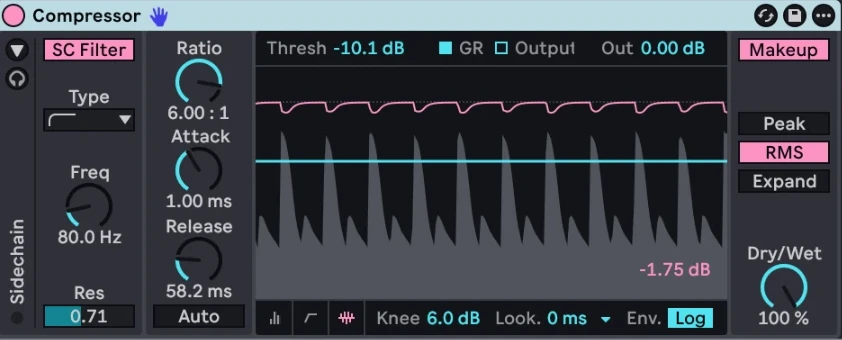
If you’re using Ableton Live, the stock Compressor plugin is a great way to start. It’s right there in your DAW, which means you don’t have to mess around with downloads or installations. The controls are straightforward: Threshold, Ratio, Attack, Release, and a dry/wet knob for easy parallel compression. There’s a realtime display so you can see exactly how the compressor is reacting to your audio as it plays through your track, which helps beginners track down what’s happening.
How to Get the Most out of It:
- Start with the “Auto” mode to let the plugin handle release times for you, making things easier as you get started.
- Use the built-in sidechain feature to get your kick drum and bass working together without lots of fuss.
- Try the “Peak” setting for more aggressive, punchy results, or “RMS” for smoother, glue style compression.
A lot of tutorials for Ableton use this compressor in examples, so you’ll find a lot of help if you get stuck. The visual display helps spot what the compressor is doing and gives you instant feedback, making it less intimidating for new users.
2. Logic Pro Compressor: Seven Flavors, Simple Enough
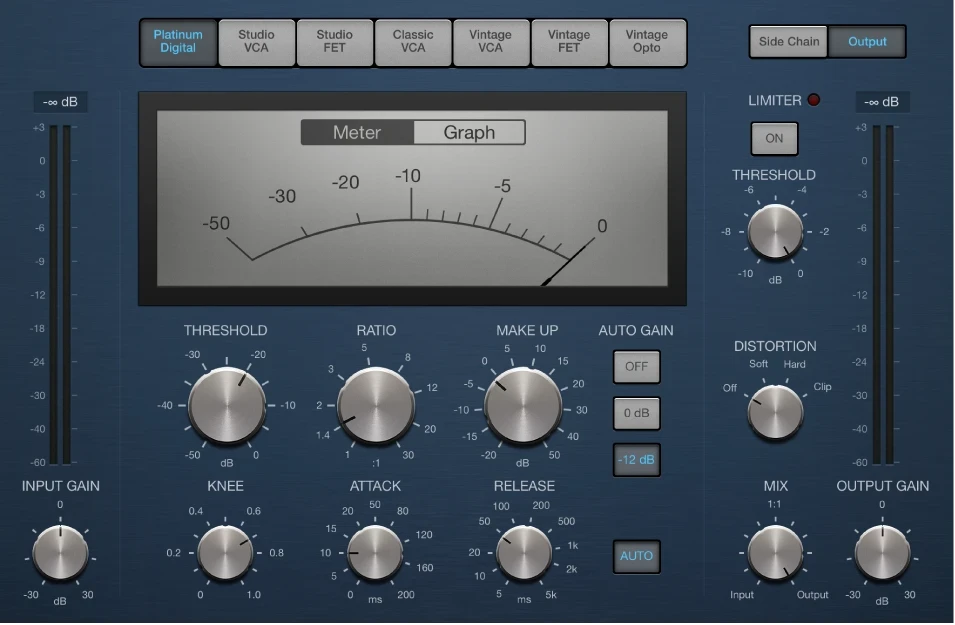
Logic Pro comes with a single plugin featuring multiple compressor models—VCA, FET, Opto and Digital and variations of these. Each model has its own style, but the controls stay familiar. Logic’s interface is very clear, with meters for gain reduction and everything laid out for easy tweaking. You won’t find any confusing extra pages or menus.
EasyPeasy Tips:
- Hover your mouse over most controls and Logic will show tips; this really helps when something doesn’t make sense at first.
- Use the “Auto Gain” feature as a safety net, making sure you’re not making things quieter when you just wanted more punch.
This plugin is perfect if you want to experiment with different compressor sounds without buying something extra. It also helps you check out how various compressor types can add character or glue to your tracks whether you’re working on vocals, drums, or even a master bus.
3. FabFilter Pro-C 3: Clear Visuals and Presets Galore
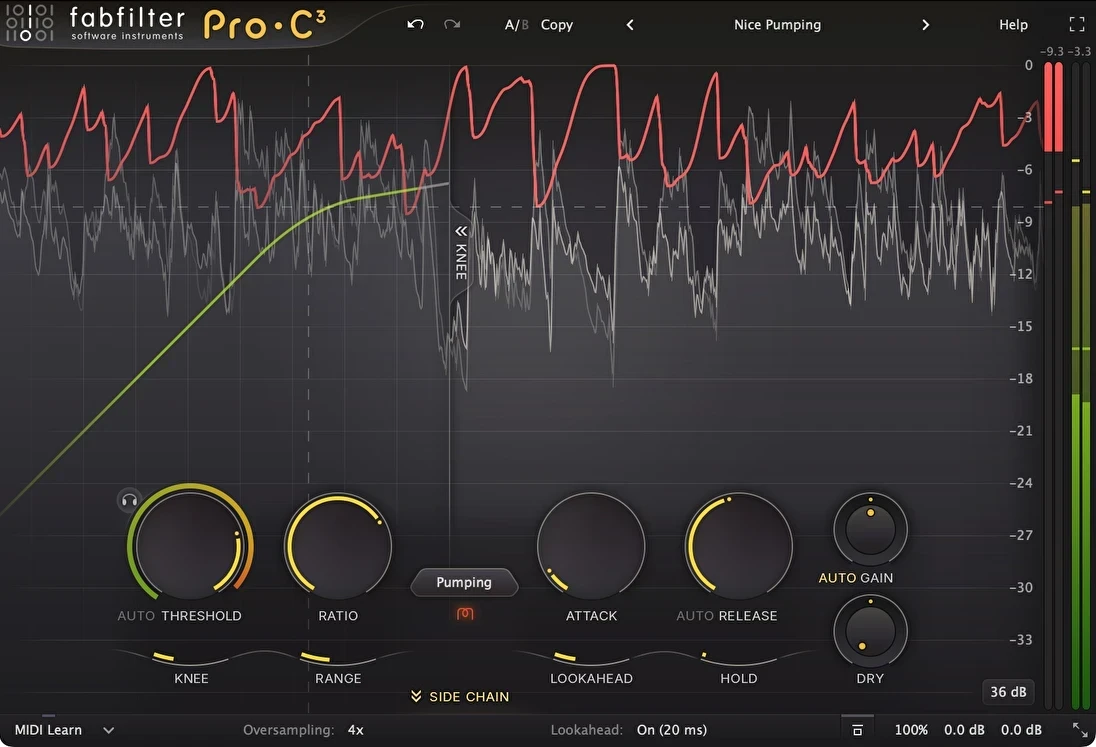
FabFilter ProC 3 isn’t free nor cheap, but I definitely think it’s worth checking out if you want to invest in a studio standard. The real superpower here is the visual feedback: you see your audio moving through the compression curve in realtime. This alone helps beginners spot exactly what’s happening. The presets are solid starting points—pop vocals, drum bus, mastering, and more. Each preset name comes with a quick explanation, which gives a boost for people still learning the ropes.
Why It’s Great for Beginners:
- Big, obvious meters and animated graphs so you can actually see what you’re changing.
- Lots of explanations instead of codes and random numbers, helping you understand each parameter.
- All the usual knobs, but the interface keeps things from getting overwhelming, and there’s a help section inside the plugin for quick answers.
There’s also a free demo, so you can give it a spin before buying. If you’re a visual learner, this plugin will make the process much clearer and less frustrating.
4. Klanghelm MJUC jr.: Free, Smooth and Simple
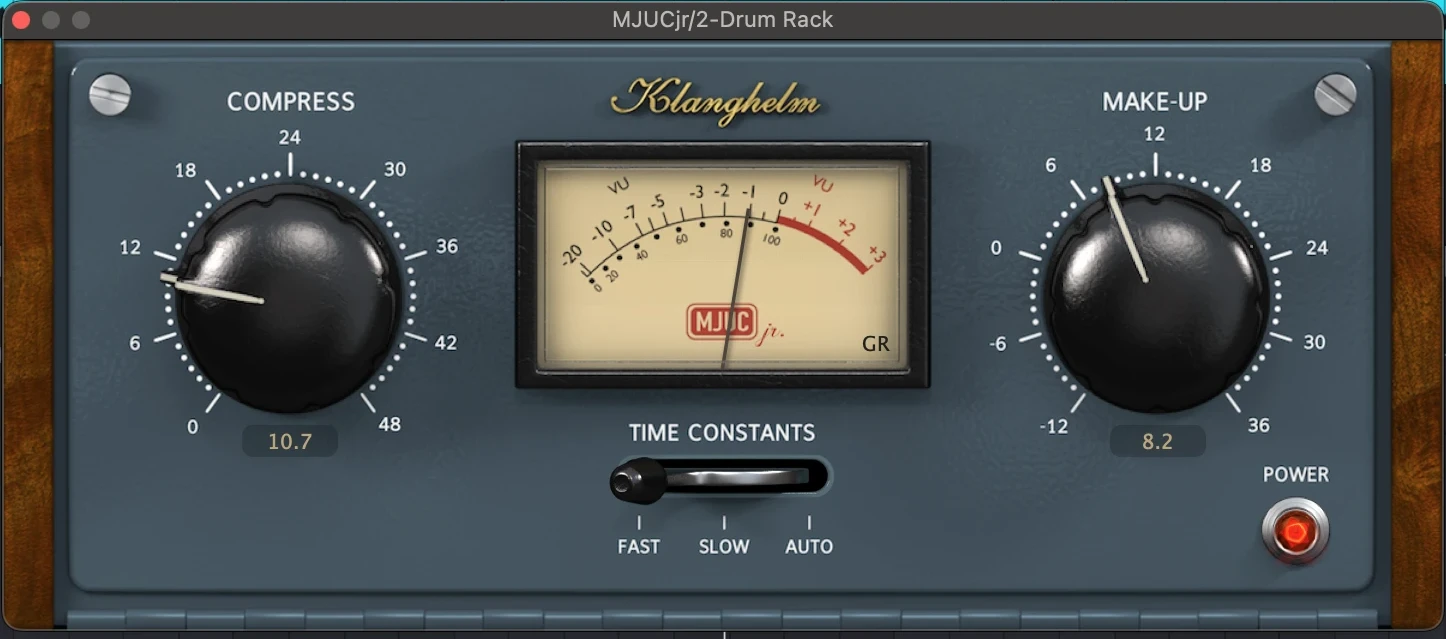
This little plugin is all about smooth vintagestyle compression, and it’s 100% free. MJUC jr. gives you just two main knobs—Compression and Makeup—plus a time constant switch (fast, slow and auto). That’s it. The results are surprising for such a simple tool, especially on vocals and synths; it can bring tracks to life if used with a gentle touch.
Quick Setup:
- Turn the Compression knob until you hear the punch you want.
- Use Makeup to bring the volume back up if you lose a little loudness.
- Flip the time setting to “fast” for drums or “slow” for pads and vocals.
If you want vintage glue without reading a manual, this plugin is worth adding to your toolkit. No signup, no nag screens, just a quick download from Klanghelm’s site. Because it’s so simple, it lets you focus on hearing what compression actually does, rather than fussing with endless settings.
5. Native Instruments Solid Bus Comp: Simple Glue for Drums and Mixes
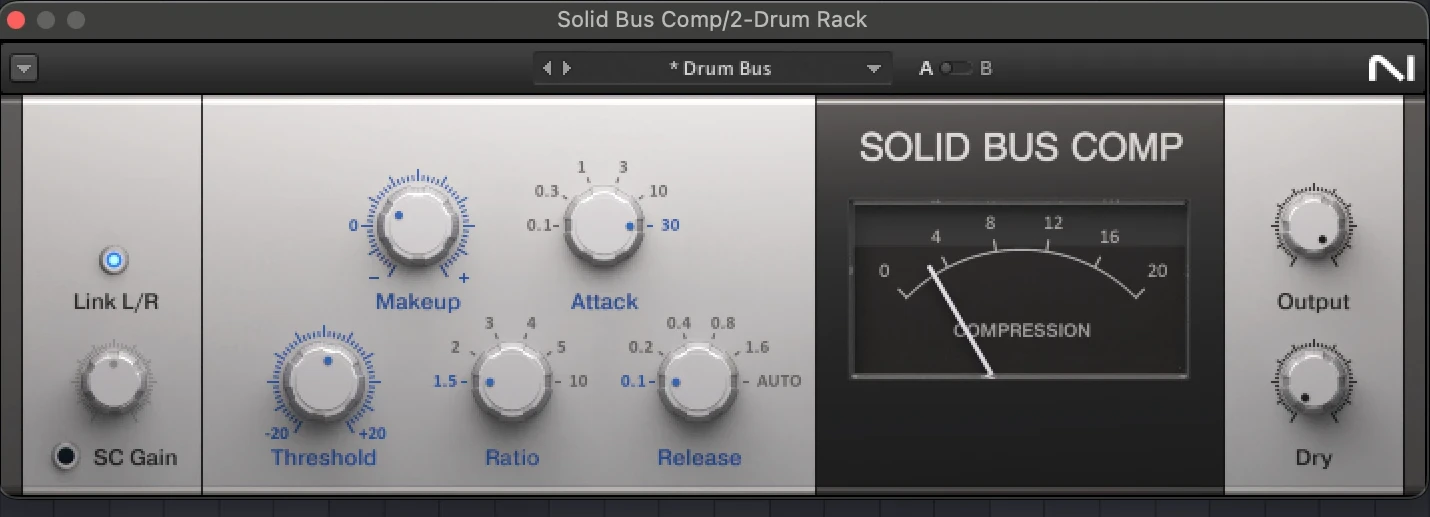
Native Instruments’ Solid Bus Comp is modeled after a classic SSL bus compressor*, which is pretty famous for making drum groups and full mixes sound tight and connected. The controls are basic: Threshold, Attack, Release, Ratio, and Makeup Gain. The magic is in its “set and forget” feel. Just start with a preset and nudge the threshold until it tightens things up with no added hassle.
Handy Uses:
- Glue your drum group to get that cohesive, pro sounding rhythm section. It works especially well if your drums feel a little disconnected or weak.
- Add to your master bus for extra punch and presence; works in any genre.
- Comes bundled in some NI packages, saving you cash if you already use Native stuff, so you might already have access to it.
If you like quick, musical results and hate complicated user interfaces, you’ll get along well with this one. Plus, there are enough presets to jumpstart your compression without guessing every setting.
*Ableton’s Glue Compressor is very similar and included in Ableton Live.
6. TDR Kotelnikov: Free, Clean, and Flexible
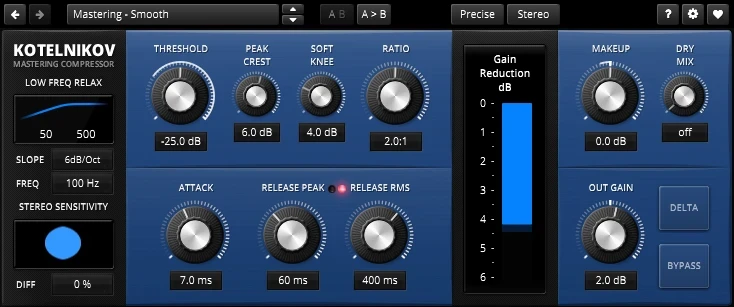
TDR Kotelnikov is a free, clean compressor plugin that’s all about keeping your sound natural. Instead of adding “color,” it preserves tone—a great fit for acoustic music or when you just want precise control over your dynamics. While the layout might seem a little busy at first, you’ll find that the actual workflow makes sense after a few minutes.
Beginner Benefits:
- Extensive tooltips and a great manual for learning the basics of compression
- Delta mode to hear just what’s being compressed, helping you track down what the plugin is actually doing to your sound.
- A few simple presets that help you dial in settings for vocals or drums fast, so there’s less guesswork with each use.
The Tokyo Dawn Labs website (official download) has help sections and community answers if you hit a snag on settings or need advice from other users. Because its sound is so transparent, it’s a choice tool for mixes that need dynamic control but no extra color.
How to Choose the Right Compressor as a Beginner
There’s no need to spend a lot of time overwhelmed by options, so here’s what actually works. Look for plugins with easy to read visuals and as few controls as possible. Builtin DAW compressors are your friend; they’re tested, reliable, and always just a drag and drop away. Free plugins are great when you want to expand your options without dropping your lunch money. When you’re ready for upgrades, prioritize plugins with clear feedback and tutorials. The best plugin is the one you’ll actually use, not the fanciest one that shows up on social media.
Mixing can feel like a mystery at first, but having a straightforward compressor on hand lets you find your footing faster. Beyond the basics, learning what compression truly does to your mix takes time and practice—but with the plugins above, the learning curve is way less steep and you can spend more time making music instead of messing with options you don’t need yet.
Final Thoughts
Getting the hang of compression shouldn’t feel like cracking some secret code or solving a complicated puzzle. Play around, trust your ears, and don’t be afraid to use the presets while you learn. If you want mixes that pop and drums that punch, grab one or two of these beginner friendly compressor plugins and see what happens. You might even surprise yourself with how much more pro your music starts to sound. Why not open your DAW today and push those threshold knobs? Your next track will thank you.